Welcome! This page showcases my instructional design work for the UF College of Nursing hiring team. Thank you for taking the time to peruse this work.
About Andy Sheppard

As detailed on my resume, I worked 17 years at the University of Florida and 10 years at Santa Fe College, providing instructional design support for both in-person teaching and online learning. Moreover, I’ve spent the past 12 years engaged in entrepreneurial pursuits centered around media development.
The page linked below includes prior work done at Santa Fe College. My colleagues were kind enough to leave this course publicly accessible. Please note that I did need to remove some of the videos from the Teaching Examples module to meet newer SF brand guidelines. I also no longer have direct editing access, so I’m not able to further update this Canvas course site. This portfolio supported my application for my last post at SF, and thus, was written with an SF audience in mind.
Santa Fe College Work Examples 
In the past few years, I’ve largely focused on designing training and creating media using emerging Artificial Intelligence (AI) tools. As the following illustration suggests, I’m passionate about the intersection of AI tools, pedagogy and digital accessibility.
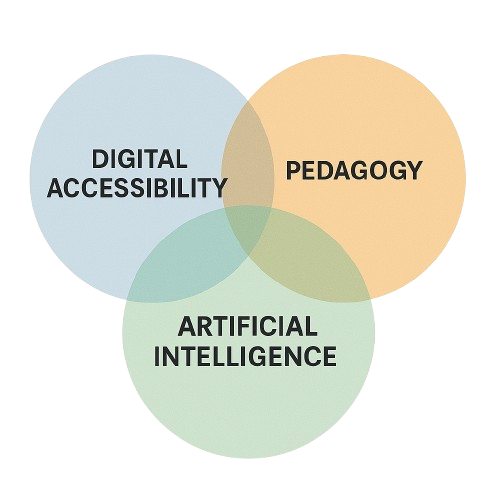
Above: An AI-generated Venn diagram.
Work Examples
Academic Example – Artificial Intelligence Training
I scripted and edited the following video for SF College’s ‘AI Toolkit,’ introducing recent AI advances to faculty. I worked collaboratively with the campus’s AI committee to design this training. This video was created prior to Open AI’s recent advances in image generation capabilities.
Academic Example – An Unusual Introduction
Earlier this year, I applied for a position with UF’s AI Learning Academy. In preparing my application materials, I wanted to stand out with an unusual introduction. I decided to reach out to a couple of voice actors I’ve worked with over the years. I wrote the first part of a script, but invited each of them to make the script their own and voice any concerns they had about AI advances in their field. I didn’t expect the video to take such an unexpected, but important turn. Erin’s insights, in particular, were profound and sobering.
After reflecting on Erin’s commentary, I decided to checkout Google’s Notebook LM tool. It converts documents and other files into a simulated podcast. And, my first LM-produced podcast supports her concerns.
I produced a handful more podcasts with the tool, and while this is only anecdotal, the male typically leads the podcast, in my experience. Others have raised concerns about this bias. More broadly, Dr. Joy Buolamwini has been warning us about the problems with bias in AI technology for years. Every educator should probably be aware of the Algorithmic Justice League.
Academic Example – Gamified Tutorial
The following multimedia experience is a Spider-Man themed interactive Canvas tutorial, and it includes a game designed to promote growth mindset. My audience for this tutorial was first-year college students; gamification can be especially engaging for these younger learners. I designed this game using Articulate Storyline 360. Design reflection: As I look back on this work with literally different lenses – reading glasses – I realize that the text size is too small in some places.
Play Game (new window)
Commercial Example – Video Avatar Use
A client is piloting the use of AI-generated video avatars in select learning modules. We will analyze survey data to compare learner responses between modules with and without the avatars. Here’s a short excerpt from one of the instructional videos. Meet “Brandon”.
Pedagogically, I have mixed feelings about the use of AI-generated video avatars – especially within the context of higher education. These types of avatars run the risk of increasing social distance between students and their instructors. Technically, we’re still in uncanny valley, and the syncing between audio and video is a bit off. And, the cognitive dissonance of transitioning from a video featuring voice actors to AI-generated voices is not lost on me.
Design Process
While many of the instructional design examples listed on this page demonstrate applied technical skills, the more important skillset I bring is my instructional design approach. I seek to understand the needs of the audience and focus on the knowledge or skills participants will need to gain. As Grant Wiggins and Jay McTigue articulate, this approach is known as backwards design. I design trainings and resources with the end goal in mind; and I strive to remain current on evidence-based design practices.

During the design process, I’m passionate about universal design—creating with disabled users in mind. I prioritize accessible colors, include captions and transcripts, and ensure consistent, predictable formatting. When appropriate for the audience, I make occasional use of pop culture references, memes and emoji.
After designing a training session or multimedia asset, I find a way to assess its impact. This assessment might involve the use of surveys, focus groups or tracking data from within a learning portal. For example: in my prior teaching, I would host my own instructor-created videos on YouTube and embed them within our course platform. In doing so, I could access YouTube’s more robust analytics to determine what portion(s) of videos my students would watch, and when they were typically viewed. This data would then inform my revision of the instructional content.
What Lies Ahead …
I’m excited about the possibility to rejoin the community of educators at the University of Florida especially at this pivotal time as we navigate the evolving impact of Artificial Intelligence on teaching and learning.
I’ve touched on a couple of the ethical concerns we’re facing regarding AI adoption; and to be sure, there are many more to consider. However, at the end of the day, these tools are increasingly baked into our operating systems and devices. For example, the more recent version of Microsoft Paint has an image creator built within it. Instructional Designers are at their best when they work collaboratively with their colleagues to critically evaluate emerging educational technology tools.
Updates
Added: 08/18/2025:
Added: 07/25/2025 – AI Companions
When I proposed the following video to the SF AI Committee a year ago, there was some pushback, but most agreed it belonged in the AI Toolkit. Recently, AI companions have been linked to teen suicides, and as more people use chatbots for therapy, their evolving “personalities” raise growing concerns.
Added: 07/26/2025 – ChatGPT Agent Mode
This new feature became available to me Saturday, July 26th 2025. I’m still getting familiar with its capabilities. Here’s a sneak peek at what potentially lies ahead. For the first two minutes as I watched it work, I was mesmerized. Then, I was struck by how normal it seemed to watch an AI browse the web for me and compile a price comparison. There’s also something surreal about watching an AI agent interact with a webpage that includes a CAPTCHA (Completely Automated Public Turing test to tell Computers and Humans Apart) component.
Thank you for considering my work examples. I appreciate your time and hope you have a great day!
 astermedia.org